
Delete your Royaltalk account
In the app: the quickest way
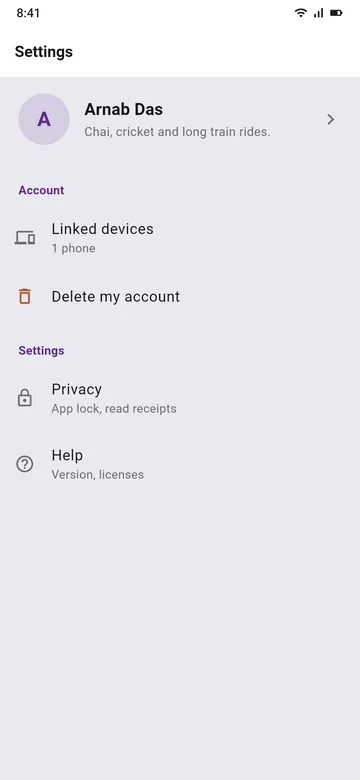
- Open Royaltalk and go to Settings.
- Under Account, tap Delete my account.
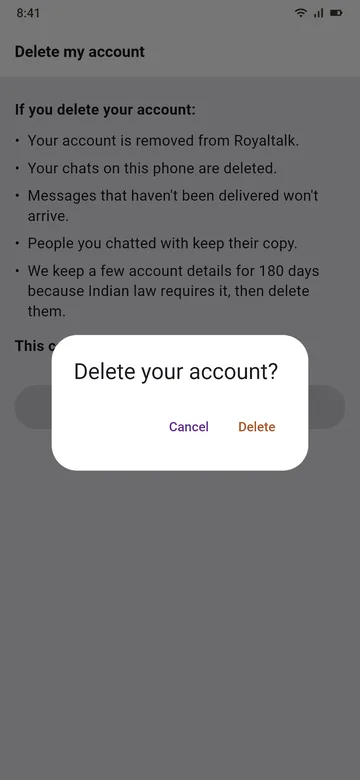
- Tap Delete my account, then Delete. If you use the app lock, enter your PIN.
Without the app
If you no longer have the app or the phone: email us at privacy@royaltalk.in from any email account. Write "Delete my account" and the phone number you used in Royaltalk. We delete the account linked to that number once no phone has used it for 30 days, and reply to you. We can't check that the person who writes owns the number, which is why an account used in the last 30 days is never deleted this way. If you still use Royaltalk on a phone, please delete your account in the app.
What is deleted
Your account, your name and number, your phones' records, the keys your phone put on our server, your connections, and every message waiting on our server, sent or received.
What was never on our server
Your chats. They are only on your phone, and deleting in the app deletes them there. People you chatted with keep their own copy.
What we keep, and for how long
- For 180 days, because Indian law requires it (the IT Rules, 2021): your number and name, when your account and each of your phones were set up, the internet address each was set up from, and each phone's model. Then we delete them.
- Counts without names: how many accounts were deleted each minute.
- When our team deletes an account from an email, a record of who did it, when and why, with the account's random id, never your name or number.
- Our server's logs, for up to 180 days as Indian law asks, which can hold the internet address your phone used.
- Encrypted backups of our server, for up to 35 days, after which the account is gone from them too.
- Deleted data may remain in our systems for a short time until it is overwritten, and in those backups until they age out.