Help
Ask away. Short answers, no fine print.
Everything people ask before they download Royaltalk, and after.
No question matched. Try another word, or write to us at support@royaltalk.in.
Getting started
Two minutes, one SMS, and you're in.
What is Royaltalk?
A chat app made in India for staying close to the people you choose. Send messages and photos, buzz someone you're thinking of, or write a letter they open on the day. Everything you send is end-to-end encrypted, and you never have to hand out your phone number.
Is Royaltalk free?
Yes. Royaltalk is free to download and use.
Which phones does it work on?
Android 7 or newer. Royaltalk is on Android for now, because that's the phone most people in India carry, so that's where we started.
Which numbers can I use?
Indian mobile numbers (+91). Your number is only used to check that your account is really yours; people you talk to never see it.
Where do I download it safely?
Only from royaltalk.in. Open royaltalk.in/get on your Android phone. Any other copy is not ours, so please don't install one. See Get Royaltalk.
Can I get Royaltalk from the Play Store?
Yes, Royaltalk is coming to Google Play. Until then, download it from royaltalk.in/get. It is the same app.
Android says the app is from an unknown source. Is that okay?
Yes. Android shows that for any app downloaded from its own website instead of a store. Allow your browser to install apps once, install Royaltalk, and you're done. Royaltalk is coming to Google Play too.
How long does set-up take?
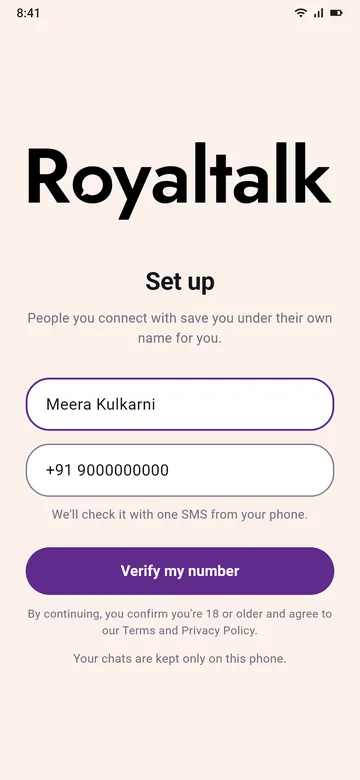
About two minutes: your name, your number, and one SMS that your own phone sends for you. Then you can make a PIN, or skip it for now.
Why an SMS and not an OTP?
Your own phone sends one SMS to us, so there's no code to wait for or type. It's one normal SMS at your plan's usual rate. See How it works.
Safety and privacy
You choose who comes close. Nobody else gets in.
Who can message me?
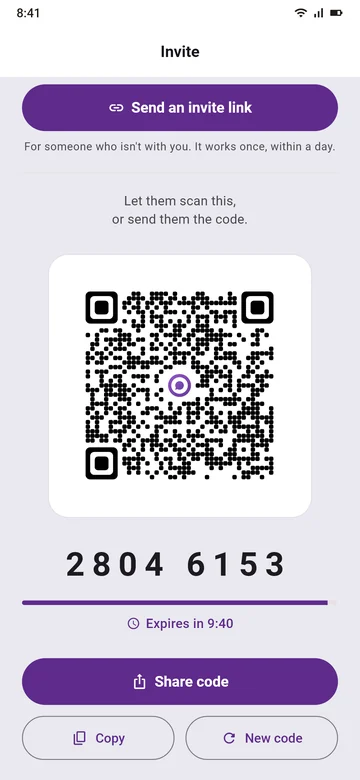
Only people you connect with, by your QR code, an 8-digit code or an invite link. Nobody can look you up by your number, so a stranger can't just message you.
Do people see my phone number?
No. People you connect with see the name they saved for you, never your number. See Connect without your number.
What does end-to-end encrypted mean?
Your messages, photos, buzzes and letters are sealed on your phone before they leave it, and opened only on the other person's phone. Our server passes them on, still sealed, and deletes each one once it's delivered. See How Royaltalk protects your messages.
Can Royaltalk read my messages?
Your messages are end-to-end encrypted on your phone before they're sent, and our server only passes them on, sealed. Your chats live on your phone, not on our server.
What does your server keep?
Only what's needed to run your account: your name, your number as a keyed hash and a sealed copy, basic facts about your phone, who you're connected to, and messages waiting to be delivered (for up to 30 days). Indian law also asks us to keep server logs for 180 days. Every detail is in our Privacy Policy.
What about spam and strangers?
A code lasts 10 minutes and works once; an invite link works once, within a day. Nobody can find you by your number, so there's no list for spammers to work through. If someone breaks the rules, tell us through Complaints.
What if I lose my phone?
Ask your mobile operator to stop the old SIM and give you the same number on a new one. Install Royaltalk, verify the number, and your connections come back. Old chats stay on the old phone. A PIN keeps your account yours even if someone else has your SIM.
What if I change my SIM?
Royaltalk works only while the SIM of the number you verified is in your phone. Take it out and the app waits, with nothing deleted, until it's back. Moving to a new phone with the same SIM? Install Royaltalk and verify the same number: your connections come back.
Using it
The little things that say a lot.
How do I add someone?
Tap +. Together? Show your QR code or 8-digit code, or scan theirs. Far away? Send an invite link in any chat app you use.
What is a buzz?
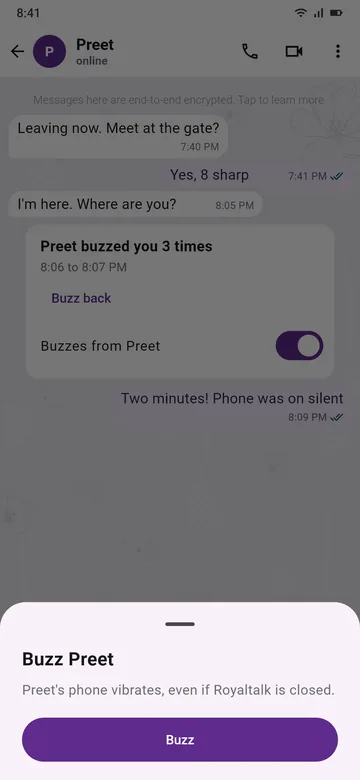
One tap, and their phone plays Royaltalk's own short rhythm, even when the app is closed. It says "thinking of you" without a word. In silent mode it only vibrates. Two people can buzz each other up to 100 times a day, and anyone can turn buzzes off for a person.
What is a letter for later?
Write it now and pick a day up to 3 days ahead. It reaches them as a sealed envelope and opens on that day, with a reminder inside the app. Perfect for a birthday or a good-luck note.
How do disappearing messages work?
Pick a time for a chat: 5 minutes, 1 hour, 1 day, 7 days or 3 months. Messages disappear that long after they're read, on both phones. Both of you see the setting.
Are photos sharp?
Each photo is sized to look sharp and stay light on both phones, and a sharp one gets an HD mark. Photos are end-to-end encrypted, like your messages.
Can people see when I'm online?
Only people you're connected with, and only while you see theirs too. You can turn "Online and last seen" off for everyone or for one person, and then you don't see theirs either.
Will I get messages when the app is closed?
Yes. The alert just says "1 new message", never who sent it or what it says, so your lock screen gives nothing away. A buzz makes a closed phone vibrate.
Your account
Yours to keep, and yours to close.
What is the PIN for?
It keeps your account yours. If someone else gets your SIM and sets up Royaltalk, they need your PIN; without it they must wait 7 days, and your phone is told. The PIN is 8 to 12 digits, and you can skip it at set-up and make it later in Settings.
What if I reinstall or change phones?
Verify the same number and your connections come back. Chats live on your phone, so old chats stay on the old phone. If you made a PIN, you'll need it.
Can I change my name?
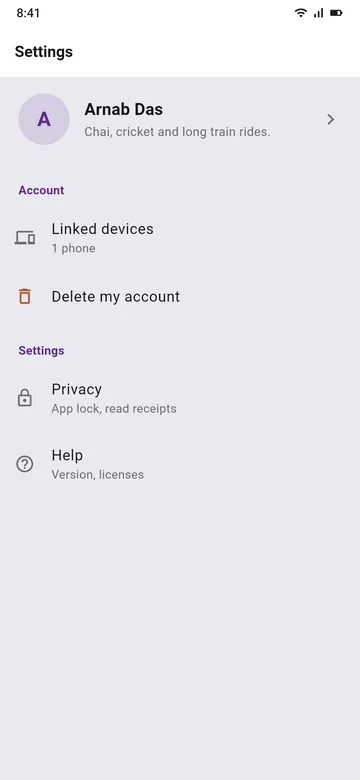
Yes, any time in Settings, along with one line About you. Your About goes only to the people you're connected to.
How do I delete my account?
In the app: Settings, then Delete my account. Without the app: see Delete your account.
How do I complain or report someone?
Write to our Grievance Officer at grievance@royaltalk.in. See Complaints for how fast we act.
What are the rules, and what happens if someone breaks them?
Be kind, be honest, be yourself, and never send anything that harms a child. Depending on how serious it is, we may pause, warn, suspend or end an account. See The rules, in plain words for examples, and for how to appeal.
How do I reach you?
Write to support@royaltalk.in. A real person reads every email.
Coming soon
What's next
We're building these now. Coming soon, one by one.
Will there be group chats?
Coming soon. Groups of up to 1024 people, end-to-end encrypted like your 1:1 chats.
Can I call someone?
Coming soon: voice and video calls, end-to-end encrypted like your messages.
Voice messages?
Coming soon, for the things you would rather say in your own voice.
Can I share my live location?
Coming soon, with a timer you choose: 15 minutes, 2 hours or 10 hours.
What is Corner?
Coming soon: a photo and a line about your day, for the people you choose. Corner opens 11 December.

Start with one hello.
Free. Made in India. Two minutes to set up.
Coming to Google Play too.
Only download Royaltalk from royaltalk.in.